
The CherryStrike App Is Live — Here’s Everything You Need to Know

Trading just became a whole lot easier.

Intro

We heard you loud and clear:

You wanted faster access. Cleaner design. Full trading power in your pocket.

Now it’s here.

The official CherryStrike Mobile App is live — and it’s everything you love about CherryStrike, now optimized for on-the-go trading.

In this blog, we’ll walk you through everything you need to know:

  • Where to get the app
  • How it works
  • What makes it different

And why trading from your phone just makes sense


01 What Is the CherryStrike App?

The CherryStrike App is our full trading platform — reimagined for mobile.

You can:

  • Log in to your account
  • Place real trades with a single tap
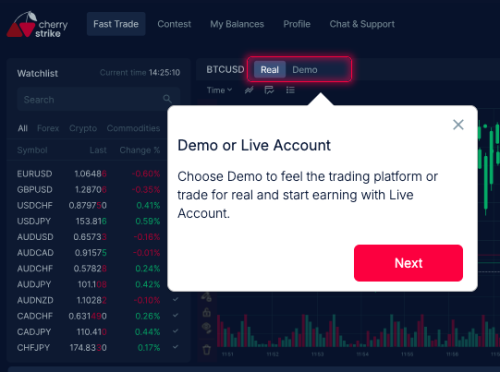
  • Switch between demo and real mode
  • Choose your asset (forex, crypto, stocks, etc.
  • View trade results instantly
  • Track your balance and trade history
  • And do it all in under 30 seconds

02 Where to Download the App

The CherryStrike App is available for:

  • Android (Google Play)

Just search “fts247” or click below to download directly:

Pro tip: Already using CherryStrike in your browser? Your same login works in the app.

GET THE APP

Trade between 15 Seconds to 5 Minutes

Unlike traditional trading apps with endless screens and forms, the CherryStrike App is intentionally simple.
How it works:

  1. Open the app
  2. Pick your asset
  3. Enter your amount (starting at just $1)
  4. Tap Higher or Lower
  5. Get your results

    That’s it. Real trades. Real payouts. Real fast.

03 Switch Between Real & Demo Anytime

Not ready to go live? No problem.

The app includes full access to Demo Mode so you can:

  • Test your strategy

  • Learn the platform

  • Build confidence
    Before ever spending a dollar.
    Switching between demo and live is instant and seamless.

04 Trade from Anywhere

One of the biggest benefits of the app is mobility.

You don’t need to be stuck at a desk to catch a move. Whether you’re:

  • On your commute
  • In bed 
  • On break 
  • Traveling 

You can tap in, make a pick, and be done in seconds.


Final Thoughts

The CherryStrike App is more than just a mobile version of our platform — it’s faster and smarter.
If you’ve been using CherryStrike in your browser, it’s time to upgrade your experience.

Download the CherryStrike App Now and Make Your First Mobile Cherry Pick